Ever found yourself wondering if upgrading your RAM could give your Pro Tools setup a boost? You're not alone.
Many audio professionals and enthusiasts often question how RAM might influence CPU power, especially when it comes to running demanding software like Pro Tools. You know the drill—you're deep into a project, layers of tracks meticulously stacked, and then, everything starts to lag.
Frustrating, isn't it? Imagine if there was a way to smooth out those bumps and keep your creative flow uninterrupted. We'll unravel the mystery behind RAM and CPU dynamics in Pro Tools, helping you make informed decisions that could enhance your music production experience. Stay with us as we dive into the details and discover whether RAM could be the missing link in your quest for seamless performance.
Role Of Ram In Digital Audio Workstations
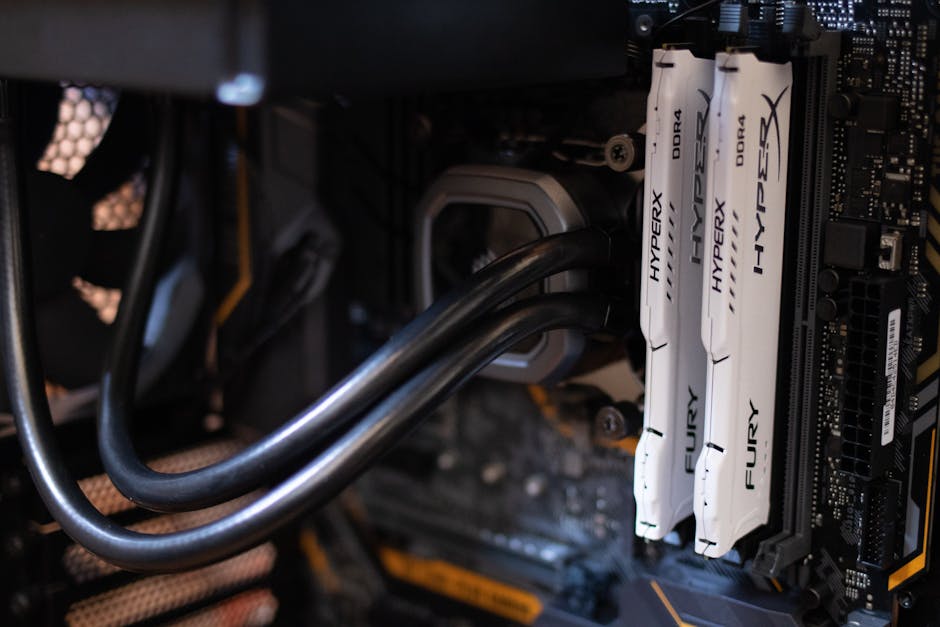
RAM plays a key role in digital audio workstations (DAWs). It serves as the temporary storage that your computer uses to run Pro Tools smoothly. More RAM allows Pro Tools to handle more tasks at once. This includes managing multiple tracks and plugins.
When using Pro Tools, having sufficient RAM can enhance overall performance. It ensures that the software operates without interruptions. Without enough RAM, you may face slowdowns. This can disrupt your creative process.
Impact On Software Responsiveness
RAM affects how responsive Pro Tools feels. With more RAM, the software can load faster. It reduces waiting times when opening projects. Quick responses make editing more efficient. If RAM is low, the software may lag. This can slow down your workflow significantly.
Memory Allocation And Management
Pro Tools uses RAM to allocate memory efficiently. Each track and plugin needs a portion of RAM. Sufficient RAM ensures smooth playback. It also helps in managing larger projects. Efficient memory management prevents audio dropouts. This keeps your sessions running seamlessly.
Cpu Power And Audio Processing
When diving into the world of audio processing, the role of CPU power becomes evident. Your CPU is essentially the brain behind all the computations required to manipulate audio files. Whether you’re adding effects, mixing tracks, or running virtual instruments, the CPU’s capability can significantly impact the performance of your digital audio workstation (DAW), like Pro Tools.
Processing Power Requirements
Understanding the processing power requirements of your CPU can help you optimize your Pro Tools experience. Different projects demand varying levels of CPU power. A simple voiceover may not require much, but a full-scale orchestral composition with multiple effects and tracks will push your CPU to its limits.
Consider your typical project size and complexity. Ask yourself, does your current CPU handle your workload efficiently, or do you experience lags and crashes? Identifying your needs can guide you in deciding whether an upgrade or optimization is necessary.
Multithreading And Core Utilization
Multithreading is a game-changer in audio processing. It allows your CPU to handle multiple tasks simultaneously, distributing the workload across different cores. This can be particularly beneficial in Pro Tools, where you might be running numerous plugins and tracks at once.
However, not all plugins and processes are optimized for multithreading. Check your software and plugin specifications. Are they designed to take advantage of multiple cores? If not, even the most powerful CPU might not give you the expected performance boost.
Consider experimenting with different settings in Pro Tools. Adjusting the core usage and buffer size can sometimes yield surprising improvements. Have you tried tweaking these settings recently?
In your experience, how has your CPU's performance impacted your audio projects? Has investing in a better CPU or optimizing your current setup made a noticeable difference in your workflow? Share your thoughts and insights in the comments below!
Optimizing Performance In Pro Tools
Optimizing performance in Pro Tools isn't just about having the latest hardware; it's about understanding how each component contributes to your workflow. Many users wonder if RAM affects CPU power in Pro Tools. While RAM doesn't directly boost CPU power, it plays a crucial role in how efficiently your CPU can perform. Let's dive into some key strategies to optimize your setup.
Balancing Ram And Cpu
Think of your computer as a team. The CPU is the leader, making quick decisions, while RAM acts as the assistant, ensuring the leader has all the information ready at hand. Without enough RAM, the CPU spends time waiting, slowing down your Pro Tools session.
Imagine working on a complex mix with multiple tracks and plugins. If you only have 8GB of RAM, your CPU might struggle, leading to frustrating lag or crashes. But with 16GB or more, you're likely to see smoother performance, as the CPU can access data quickly without bottlenecks.
When upgrading your setup, consider the balance between RAM and CPU power. More RAM allows your CPU to work efficiently, especially in demanding projects.
Efficient Resource Management
Efficient resource management in Pro Tools can make or break your creative flow. Regularly clear your cache and close unused applications. This frees up RAM for your Pro Tools session, ensuring your CPU can focus on processing audio.
Utilize virtual memory settings wisely. While virtual memory can act as a temporary extension of RAM, it is slower. Adjust these settings only if you notice persistent performance issues.
Ask yourself: Are you optimizing your system to its full potential? Could closing background apps or increasing RAM make a difference in your workflow?
Efficient resource management isn't just a technical task; it's about creating an environment where your creativity can thrive without interruption.
These actionable steps can help you achieve a seamless experience in Pro Tools, allowing you to focus on what truly matters—your music.
Choosing The Right Hardware
Creating music with Pro Tools requires the right hardware. The software demands both RAM and CPU power. Each component plays a key role. They ensure smooth audio editing and mixing. Selecting the right hardware can enhance your workflow. It improves efficiency and reduces frustration.
Ram Capacity Considerations
RAM affects how Pro Tools runs. More RAM allows handling larger projects. It lets you use more plugins without lag. Consider your typical project size. For basic tasks, 8GB might suffice. For complex projects, 16GB or more is better. Invest in quality RAM. It ensures stability and performance. Avoid multitasking with heavy applications. This can eat up your RAM resources. Focus on having enough memory for Pro Tools.
Cpu Specifications For Audio Work
CPU power is crucial for audio processing. A strong CPU handles multiple tracks seamlessly. It supports real-time effects and virtual instruments. Look for a multi-core processor. More cores mean better multitasking. For Pro Tools, an i5 or i7 is recommended. AMD Ryzen processors also perform well. Balance CPU speed with core count. Aim for a higher clock speed. This enhances processing efficiency. Choose a CPU that complements your RAM. Together, they power your music production.
Troubleshooting Performance Issues
Boosting RAM can impact CPU efficiency in Pro Tools. More RAM helps your CPU handle tasks smoothly. It reduces lag, enhancing overall performance.
When working with Pro Tools, performance issues can be frustrating, especially when deadlines are looming. You may wonder whether your RAM or CPU is to blame. Understanding how these components affect your setup is crucial in resolving these issues effectively.
Identifying Bottlenecks
First, identify where the bottleneck is occurring. Is your computer lagging during playback or when you're applying effects? Use Pro Tools' built-in system usage meter to monitor your CPU and RAM usage. Compare this data with your system's capacity. If you're maxing out your RAM, your CPU might be waiting for data, reducing its efficiency. On the other hand, if your CPU usage is high while RAM usage is low, your processor might be struggling with the workload. Think about your typical session. Are you working with numerous tracks and plugins? High track counts might strain your RAM, while intensive plugins can burden your CPU.
Upgrading Components
If bottlenecks are identified, consider upgrading your components. Adding more RAM is often a straightforward way to enhance performance. This is particularly beneficial if you frequently work with large sample libraries or multiple tracks. Upgrading your CPU can provide a more significant boost, especially if your sessions involve complex processing. However, this might require a new motherboard, so weigh your options carefully. Before investing, check Pro Tools' system requirements for guidance. Balance between RAM and CPU upgrades based on your specific needs. Have you ever upgraded your system only to find the same issues persist? Sometimes, it's about the synergy between components. Ensuring compatibility and balance can make all the difference. Are you utilizing your current setup to its full potential? Sometimes, optimizing software settings can yield substantial improvements without new hardware.
Frequently Asked Questions
Does Ram Improve Cpu Performance In Pro Tools?
RAM enhances CPU efficiency by reducing data access times. More RAM allows Pro Tools to handle larger projects smoothly. It minimizes bottlenecks and ensures faster processing. While RAM itself doesn't boost CPU power, it supports overall system performance. Balancing RAM and CPU resources is key for optimal Pro Tools operation.
How Does Ram Affect Pro Tools Performance?
RAM affects Pro Tools performance by enabling faster data processing. It allows simultaneous track handling and plugin operations. Insufficient RAM can lead to sluggish performance and crashes. More RAM enhances stability and responsiveness. It is crucial for managing complex projects efficiently.
Upgrading RAM often results in noticeable improvements.
Is More Ram Better For Pro Tools?
Yes, more RAM is generally better for Pro Tools. It enhances multitasking capabilities and reduces latency. More RAM supports larger sessions and complex plugins without issues. Pro Tools benefits from increased RAM, ensuring smoother operation. However, balance with CPU power is essential for optimal results.
What Is The Ideal Ram For Pro Tools?
The ideal RAM for Pro Tools depends on project complexity. For basic tasks, 8GB may suffice. For larger projects, 16GB or more is recommended. More RAM supports heavy plugin usage and complex sessions. Consider your workflow and project demands. Upgrading RAM can greatly enhance performance and stability.
Conclusion
Ram plays a key role in computer performance. It boosts efficiency, especially for tasks like audio editing. Pro Tools users need enough RAM for smooth workflows. Insufficient RAM can slow down processes. CPU power is crucial, but RAM complements it.
Together, they enhance overall system performance. Upgrading RAM can lead to better multitasking. It helps manage large audio files seamlessly. Investing in RAM ensures smoother experiences. Both RAM and CPU are vital for optimal Pro Tools operation. Choose wisely based on your needs.
Efficient use of resources leads to improved results.