
Unlocking the full potential of your Honda vehicle's diagnostics doesn't have to be a daunting task. If you're looking to ensure top-notch performance and longevity for your Honda, understanding how to access VSA Maintenance Mode with a Honda scan tool is crucial.
Imagine having the ability to diagnose issues early, potentially saving yourself from costly repairs down the line. By diving into the specifics of VSA (Vehicle Stability Assist) Maintenance Mode, you not only take control of your car’s health but also enhance its safety and performance.
This guide is crafted to walk you through the process in a simple, step-by-step manner. Stay tuned, because by the end of this article, you’ll be equipped with the knowledge to maintain your vehicle like a pro.
Vsa Maintenance Mode Overview
Accessing VSA Maintenance Mode with a Honda Scan Tool is straightforward. Connect the tool to the vehicle's diagnostic port. Follow on-screen instructions to navigate to the VSA Maintenance Mode option.
Understanding the VSA Maintenance Mode in your Honda can be crucial for maintaining your vehicle's performance. This mode is specifically designed for professional technicians to diagnose and service the Vehicle Stability Assist (VSA) system. By accessing this mode with the Honda Scan Tool, you can pinpoint issues, perform necessary maintenance, and ensure your vehicle remains in top condition. But how exactly does one navigate this feature? Let's break it down step by step.
What Is Vsa Maintenance Mode?
VSA Maintenance Mode is a diagnostic feature in Honda vehicles that allows mechanics to test and troubleshoot the VSA system effectively. It’s like having a backstage pass to your vehicle’s stability controls. This mode helps in identifying issues that could affect your car’s handling and safety. It’s not just for professionals; understanding this can empower you as a car owner. You’ll be better equipped to have informed conversations with your mechanic.
Why Access Vsa Maintenance Mode?
Think of VSA Maintenance Mode as a preventive measure for your vehicle. By accessing it, you can detect potential problems before they escalate into costly repairs. This proactive approach can save you time and money in the long run. Moreover, regular checks can enhance your car’s safety features. Wouldn’t you want peace of mind knowing your vehicle is running smoothly?
How To Access Vsa Maintenance Mode With Honda Scan Tool
Accessing this mode is straightforward with the Honda Scan Tool. Start by connecting the scan tool to your vehicle’s OBD-II port, typically located under the dashboard. Turn on the ignition, ensuring your car is in park mode. Follow the scan tool’s prompts to navigate to the VSA Maintenance Mode. The user-friendly interface guides you through the process, making it easy even for beginners.
What Can You Do In Vsa Maintenance Mode?
Once in this mode, you can perform a variety of diagnostics. Check for error codes, test sensors, and even reset certain system parameters. It’s an opportunity to delve deep into your vehicle’s electronics. This mode is especially helpful if you’ve noticed any warning lights or unusual behavior. Don’t ignore those signs; they’re your car’s way of asking for help.
Common Mistakes And How To Avoid Them
One common mistake is forgetting to turn off the ignition before disconnecting the scan tool. This can lead to data corruption or incomplete readings. Always ensure the car is off before removing the tool. Another error is misinterpreting error codes. If in doubt, consult a professional. It’s better to ask for help than to risk further complications.
Your Role In Vehicle Maintenance
You might wonder, why should you care about VSA Maintenance Mode? Engaging in regular maintenance not only extends the life of your vehicle but also enhances its safety. Isn’t it worth investing a bit of time for your own security? By understanding this mode, you’re taking an active role in your vehicle’s health. You’re not just a driver; you’re a knowledgeable car owner. How does it feel to be more in control of your vehicle’s wellbeing?
Honda Scan Tool Essentials
When dealing with the complexities of modern vehicles, having the right tools at your disposal is crucial. The Honda Scan Tool is one of those essentials for anyone looking to effectively manage their vehicle's maintenance, especially when accessing VSA Maintenance Mode. Whether you're a professional mechanic or an enthusiastic car owner, understanding the key features and compatibility of this tool can make a significant difference in your vehicle maintenance experience.
Key Features
The Honda Scan Tool is packed with features designed to simplify your maintenance tasks. One of the standout features is its user-friendly interface, which allows you to navigate through various diagnostic options quickly. It provides real-time data on your vehicle's performance, helping you identify issues before they become costly problems.
Another essential feature is its ability to access and clear error codes. You no longer need to guess what's wrong; the scan tool provides detailed information about any malfunctions. This can save you time and money on unnecessary repairs. Furthermore, its ability to perform live data streaming means you can monitor your vehicle’s health on the go.
Compatibility
Compatibility is a key consideration when choosing a scan tool. The Honda Scan Tool is designed specifically for Honda vehicles, making it a perfect fit for your car maintenance needs. This ensures that you get accurate diagnostics tailored to your vehicle’s specifications.
Moreover, the tool is compatible with a range of Honda models, both old and new. Whether you're dealing with a classic Civic or a contemporary Accord, the scan tool can connect seamlessly. This broad compatibility means you don't need multiple tools for different models, simplifying your toolkit.
Have you ever tried using a generic scan tool only to find it couldn't communicate with your car? The Honda Scan Tool eliminates this frustration, ensuring you have a reliable connection every time. So, when you're accessing the VSA Maintenance Mode, you can do so with confidence.
What challenges have you faced during vehicle maintenance? Would having a tool with these features and compatibility make a difference for you? Share your thoughts and experiences in the comments below!
Preparing For Access
Accessing Vsa Maintenance Mode with a Honda Scan Tool requires preparation. Ensure the vehicle is in park and ignition on. Connect the tool to the diagnostic port for seamless operation.
Getting ready to access the VSA Maintenance Mode on your Honda scan tool involves careful preparation. It's not just about having the right tools; it's about ensuring you're set up for success. Before you dive into the mechanics, taking a moment to prepare can save time and prevent mishaps.
Safety Precautions
Your safety is paramount. Always start by parking your Honda on a flat surface to prevent any accidental rolling. Engage the parking brake firmly. Disconnect the negative battery terminal to avoid electrical shocks or short circuits. Wearing gloves and eye protection is a smart move to shield yourself from unexpected hazards. Think about the environment too. Ensure your workspace is well-ventilated, especially if you're working in a garage. A clear, organized space minimizes accidents.
Required Equipment
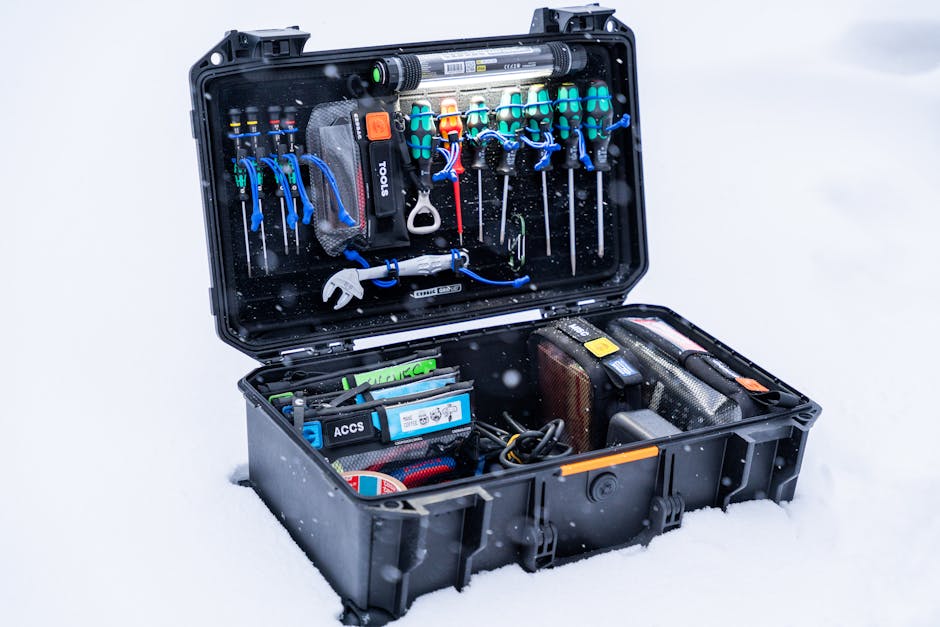
Having the right equipment is essential. Begin with a reliable Honda scan tool that supports VSA Maintenance Mode. Not all tools are created equal, so check your tool's specifications. You'll need a set of basic hand tools. A socket set, screwdrivers, and a multimeter are often necessary. Keep a flashlight handy for those hard-to-see spots, especially if you're working in dim areas. A dedicated space for your tools and equipment helps avoid unnecessary chaos. Lay everything out before you start, ensuring you have what you need within arm's reach. Have you ever started a project only to realize halfway through that you're missing a crucial tool? It's frustrating and wastes time. A little preparation goes a long way in making your maintenance task smoother and more efficient.
Step-by-step Access Process
Accessing the VSA Maintenance Mode with a Honda scan tool requires precision. Follow these steps to ensure a smooth process. This guide will help you connect the scan tool and navigate the menu effectively.
Connecting The Scan Tool
Start by locating the OBD-II port in your Honda vehicle. It's usually under the dashboard. Insert the connector from the scan tool into this port securely. Make sure the connection is firm. Turn on the ignition but keep the engine off. Power up the scan tool. Wait for it to boot completely.
Navigating The Menu
Once the scan tool is on, look for the main menu. The display should show various options. Use the arrow buttons to scroll through the menu. Find the 'VSA Maintenance Mode' option. Select it by pressing the 'Enter' button. Follow any prompts on the screen. Ensure you read each instruction carefully. This ensures you activate maintenance mode correctly.
Common Troubleshooting Tips
Accessing the VSA Maintenance Mode on a Honda scan tool involves ensuring the vehicle is in park. Then, turn on the ignition. Select "Maintenance Mode" from the menu. This process allows you to reset the system.
Accessing the VSA Maintenance Mode on a Honda Scan Tool can be tricky. It helps ensure your vehicle's stability and safety features work well. Sometimes, you might face challenges during this process. Here, you will find some common troubleshooting tips to help. These tips make it easier to handle any issues that come up.
Error Messages
Error messages can appear unexpectedly. They can stop your progress. Start by reading the message carefully. Each message gives a clue about the problem. Check if the scan tool is compatible with your Honda model. Incompatible tools often lead to errors. Inspect the connections between the scan tool and your vehicle. Loose connections can cause communication problems.
Reset Procedures
Resetting can solve many issues. First, turn off the ignition. Then, disconnect the scan tool. Wait a few minutes before reconnecting. This can clear temporary glitches. Make sure you follow the specific reset steps for your Honda model. Incorrect steps can lead to further errors. Always refer to the user manual for guidance.
Best Practices For Maintenance Mode
Accessing VSA Maintenance Mode with a Honda Scan Tool involves simple steps. Connect the tool, select the VSA system, and follow the prompts to enter maintenance mode. Ensure the vehicle is parked safely during this process for accurate diagnostics.
Engaging with your Honda's VSA Maintenance Mode using the scan tool can seem daunting. But with the right approach, it becomes a manageable task. Following best practices ensures your vehicle remains in peak condition. Let's dive into how to make the most of your maintenance mode experience.
Regular Checks
Consistent checks are essential to keep your Honda running smoothly. Make it a habit to access the VSA Maintenance Mode regularly. This proactive approach helps you catch potential issues early. Think of it as a routine check-up for your car. Doing so not only extends the lifespan of your vehicle but also saves you from unexpected breakdowns. Has your car ever stalled at an inconvenient time? Regular checks can prevent that.
Optimal Settings
Adjusting your scan tool to optimal settings is crucial. It ensures accurate readings and efficient performance. Set the tool to your vehicle's specific needs for the best results. This might sound technical, but it's straightforward. Refer to your Honda’s manual for guidance on the recommended settings. Have you ever wondered if your car is performing at its best? Proper settings can give you peace of mind. By following these best practices, you ensure your Honda's VSA system functions efficiently. Whether you're a car enthusiast or a daily driver, maintaining your vehicle can be simple and effective. What steps will you take today to enhance your driving experience?
Expert Advice And Recommendations
Discover how to access VSA Maintenance Mode using a Honda scan tool. This guide offers straightforward steps for easy navigation. Follow expert tips to ensure your vehicle's system runs smoothly.
Accessing the VSA Maintenance Mode on a Honda Scan Tool can seem daunting, but expert advice and recommendations can make the process much smoother. Understanding the nuances of this tool can significantly enhance your vehicle's performance and safety. Let’s dive into some professional insights and address frequently asked questions to empower you with the knowledge needed for a seamless experience.
Professional Insights
Getting expert advice is crucial for navigating the Honda Scan Tool effectively. Professionals recommend familiarizing yourself with the tool’s manual first. This ensures you’re aware of any unique features specific to your vehicle model. Another tip is to always ensure your car is on a flat surface before starting. This might seem trivial, but it can affect the readings and results. Safety first! Experts often suggest performing a quick vehicle health check before accessing the VSA Maintenance Mode. This can help identify any underlying issues that might interfere with the scan process.
Frequently Asked Questions
How long does it take to access VSA Maintenance Mode? Typically, accessing the VSA Maintenance Mode should take no more than a few minutes. However, this can vary depending on your familiarity with the tool. Do I need any special equipment? Aside from the Honda Scan Tool, you don't need any special equipment. Just ensure the tool is charged and ready to use. What are the common mistakes to avoid? One common mistake is not updating the scan tool software regularly. This can lead to inaccurate readings. Another is skipping the initial vehicle health check, which might cause you to overlook crucial issues. Can I damage my vehicle by using the scan tool? If used correctly, the scan tool is safe. However, incorrect settings or ignoring the tool's warnings can lead to potential issues. Remember, learning to use your Honda Scan Tool effectively can save you time and money. Have you ever wondered what other features you might be missing out on? Dive deeper, and you might discover even more ways to enhance your driving experience.
Frequently Asked Questions
How Do I Start Vsa Maintenance Mode?
To start VSA maintenance mode on a Honda, connect the scan tool to your vehicle’s OBD-II port. Navigate to the VSA options and select maintenance mode. Follow the on-screen instructions to ensure proper activation. This allows for safe maintenance without triggering system warnings.
What Tools Are Needed For Vsa Maintenance?
For VSA maintenance, you need a Honda-compatible scan tool, such as the HDS or a high-quality aftermarket scanner. Ensure the tool supports VSA functions. A reliable internet connection may be required for updates. Always check compatibility with your specific vehicle model.
Can I Exit Vsa Maintenance Mode Manually?
Yes, you can exit VSA maintenance mode manually using the Honda scan tool. Simply navigate to the VSA settings and select the exit option. Follow the tool’s instructions to confirm the process. This ensures the system returns to normal operating mode without errors.
Why Use A Honda Scan Tool For Vsa?
Using a Honda scan tool ensures accurate diagnosis and maintenance of the VSA system. It’s specifically designed for Honda vehicles, providing precise control and information. This tool helps prevent errors and ensures your vehicle's safety features function correctly during maintenance activities.
Conclusion
Accessing VSA Maintenance Mode with a Honda scan tool is simple. Follow the steps carefully. Ensure your vehicle is off before starting. Connect the scan tool securely. Navigate to the VSA option. Always double-check your settings. Completing these steps ensures smooth maintenance.
This process helps in identifying issues early. Keep your vehicle running efficiently. Regular checks can prevent bigger problems. Stay informed and keep your Honda in top condition. Practice makes perfect. Use this guide as a reference. Happy driving!